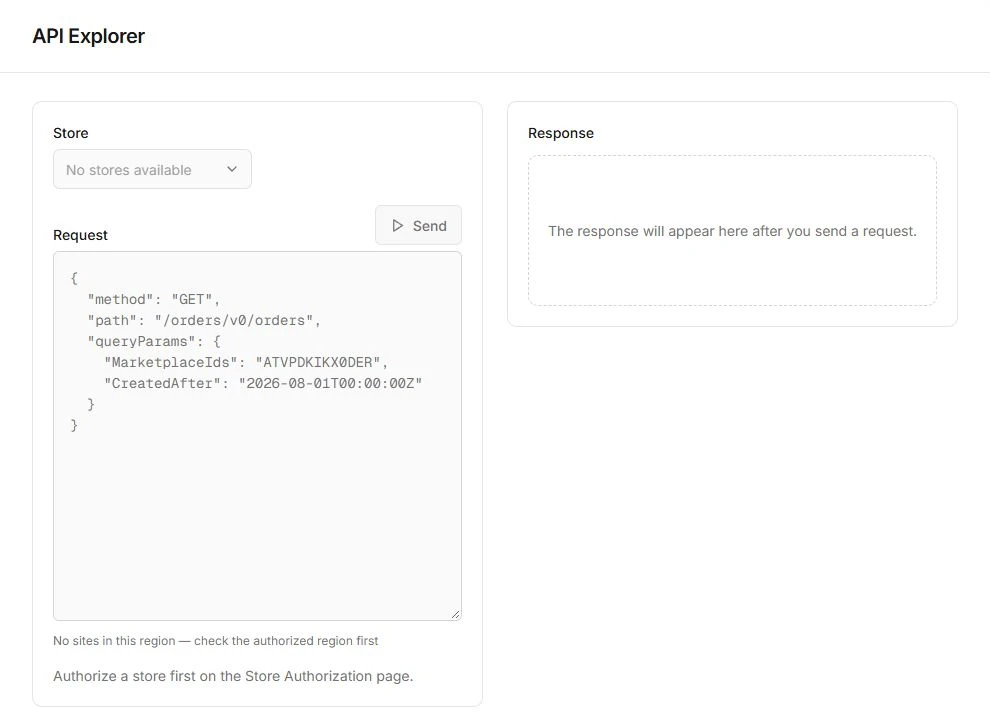
Make requests in the console
Choose an authorized store, enter a request, and inspect the result. Validate it before adding it to your workflow.
Open the consoleMuvexa supports Amazon SP-API for store data, Amazon Ads API for advertising data, and Shopify Admin API. Authorize the store or advertising account you want to access.
Call from your code, or make requests in the visual console.
Explore the console, request fields and response review for Amazon.
Authorize a store first, then select it in the console.
Set the HTTP method, platform path and request parameters.
Review returned fields and any platform errors.
Check fields, errors and granted permissions
Developers call from their systems. Teams query manually in the console.
Both use your authorized stores.
Choose an authorized store, enter a request, and inspect the result. Validate it before adding it to your workflow.
Open the consolehttps://openapi.muvexa.co/amazon/executeContent-Type: application/jsonX-Api-Key: <your-api-key>X-Timestamp: <unix-milliseconds>X-Nonce: <unique-per-request>X-Signature: <hmac-sha256-hex>{
"method": "GET",
"path": "/orders/v0/orders",
"queryParams": {
"MarketplaceIds": "ATVPDKIKX0DER",
"CreatedAfter": "2026-08-01T00:00:00Z"
}
}Follow the docs to sign requests and call the platform through Muvexa. Bring store data into your own system.
Explore the docsMuvexa forwards requests to the platform. Once a store is authorized, you can request its data within the granted permissions.
Request flow illustration, not a product screenshot
Check permissions and results before connecting your workflow.
Log in to Muvexa and authorize the Amazon or Shopify store you want to access.
View authorization stepsSelect a store in the console, send a request, and check the platform response.
Log in to validateFollow the docs to sign and send requests using the same proxy service.
View signing and code samplesBoth ERP and API support Amazon and Shopify. Store authorization is required before use.
Use Muvexa's ready-made ERP features without building your own system.
Use your Muvexa API Key to request platform APIs through Muvexa and build your own ERP or tools.
Muvexa provides platform connectivity and proxy forwarding, including Amazon SP-API. Use a Muvexa API Key to request authorized store data through Muvexa and build your own ERP or tools. The key is not an Amazon developer credential for direct access.
Read the quickstartYes. Both code and visual console requests require authorization for the relevant store. Data access depends on store authorization, platform permissions and endpoint restrictions.
View authorization guidanceYes. The visual console lets you send requests manually and inspect results. You still need store authorization and the parameters required by the target endpoint.
Explore both request methodsNo. Buyer personally identifiable information (PII) is outside the API's scope. Other API access depends on granted platform permissions and store authorization.
Read the request and response contractAPI connects store data to tools you build yourself. ERP provides a ready-made workspace for order, inventory and listings synchronization and management.
Explore ERP capabilitiesNo. Muvexa forwards requests to the relevant platform and preserves its response semantics. It does not convert both platforms into a unified business data structure. Handle the parameters, permissions and responses of each target endpoint separately.
Read the request and response contractAuthorize your store and send your first request.