1
Order synchronization
Bring store orders into your workspace.
View capability and screenshotSynchronize orders, inventory and listings from Amazon and Shopify.
Keep your store data together in Muvexa ERP.
View orders synchronized from Shopify.
Capability overview · Store authorization required
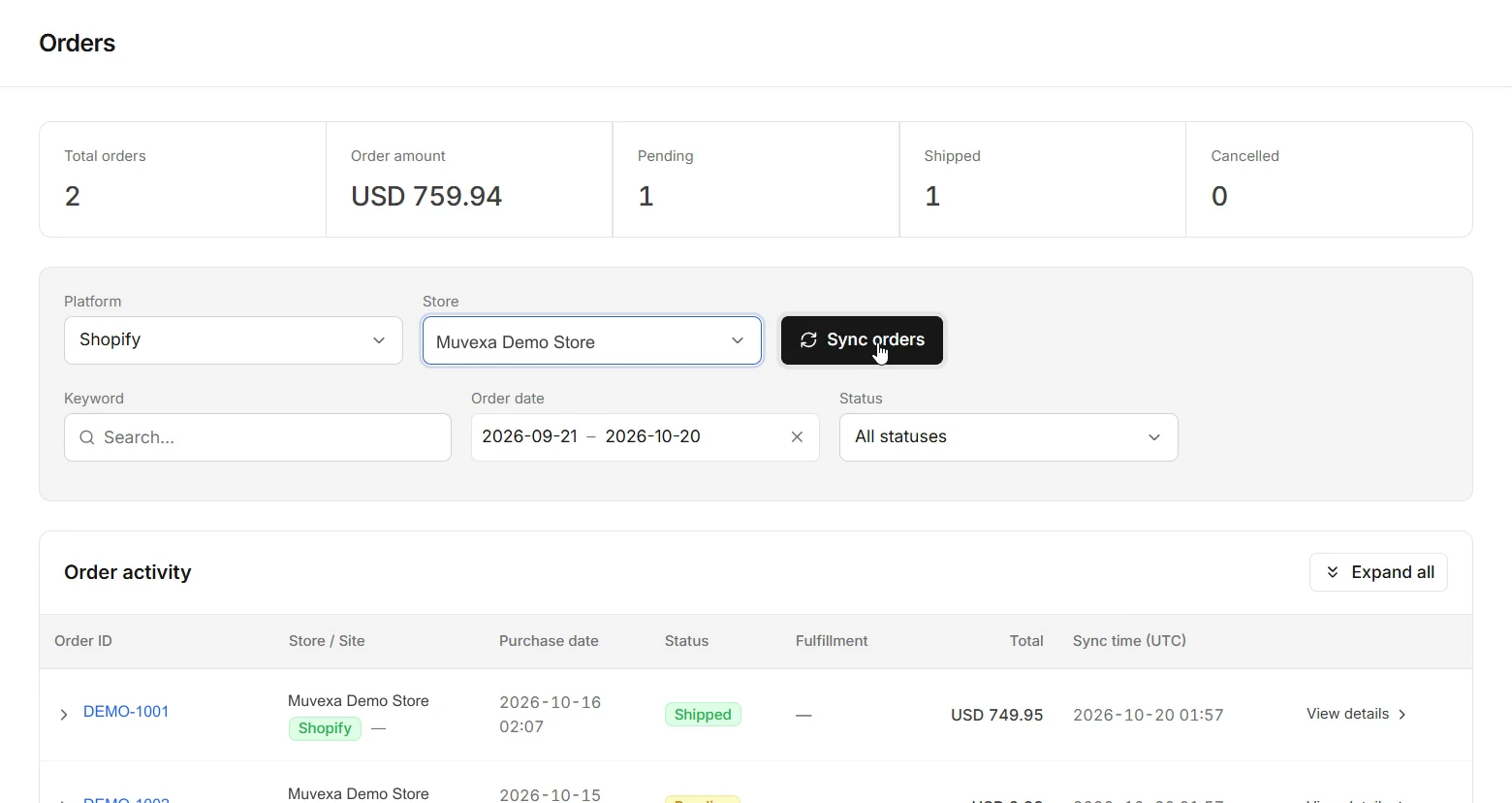
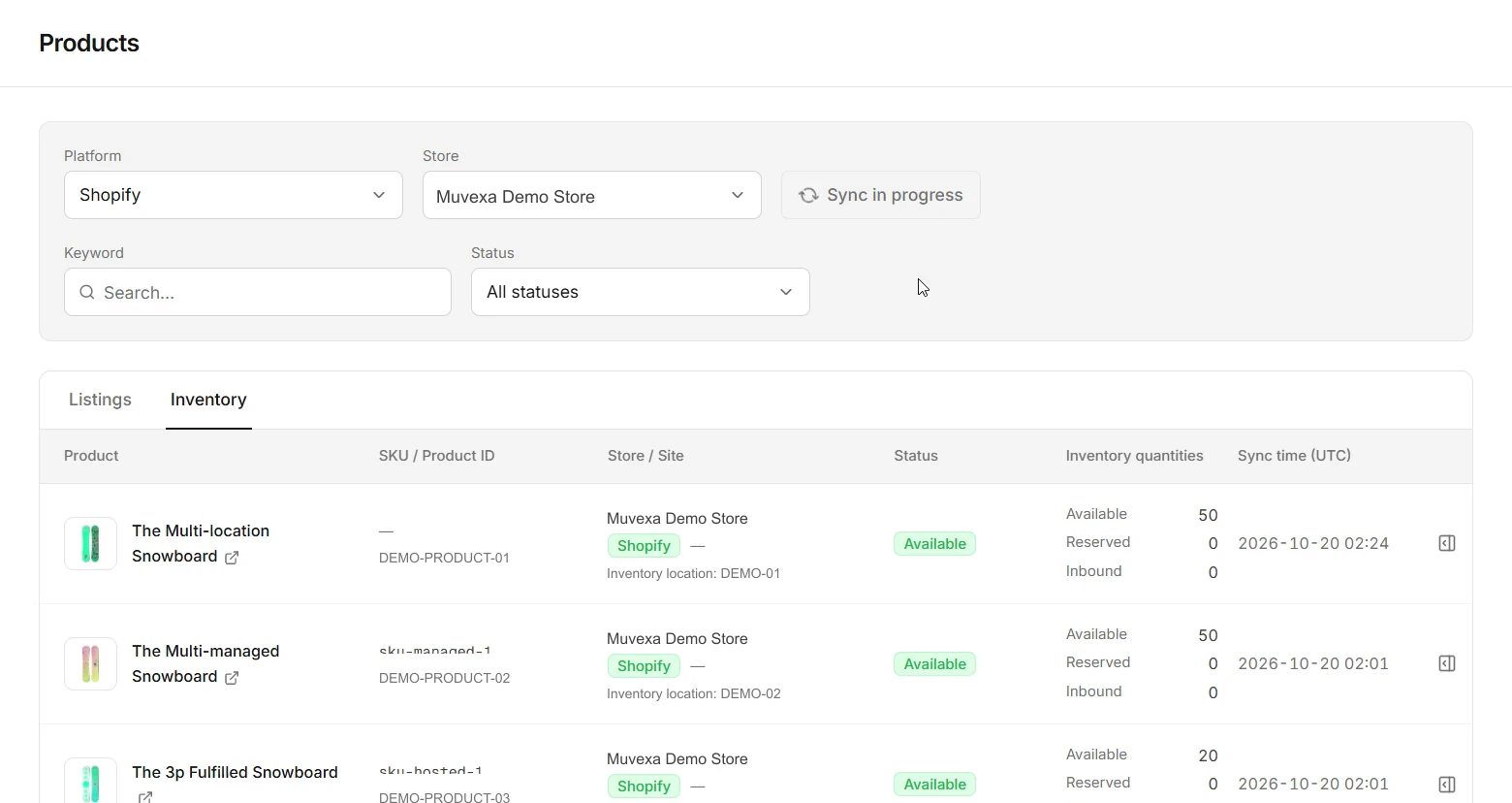
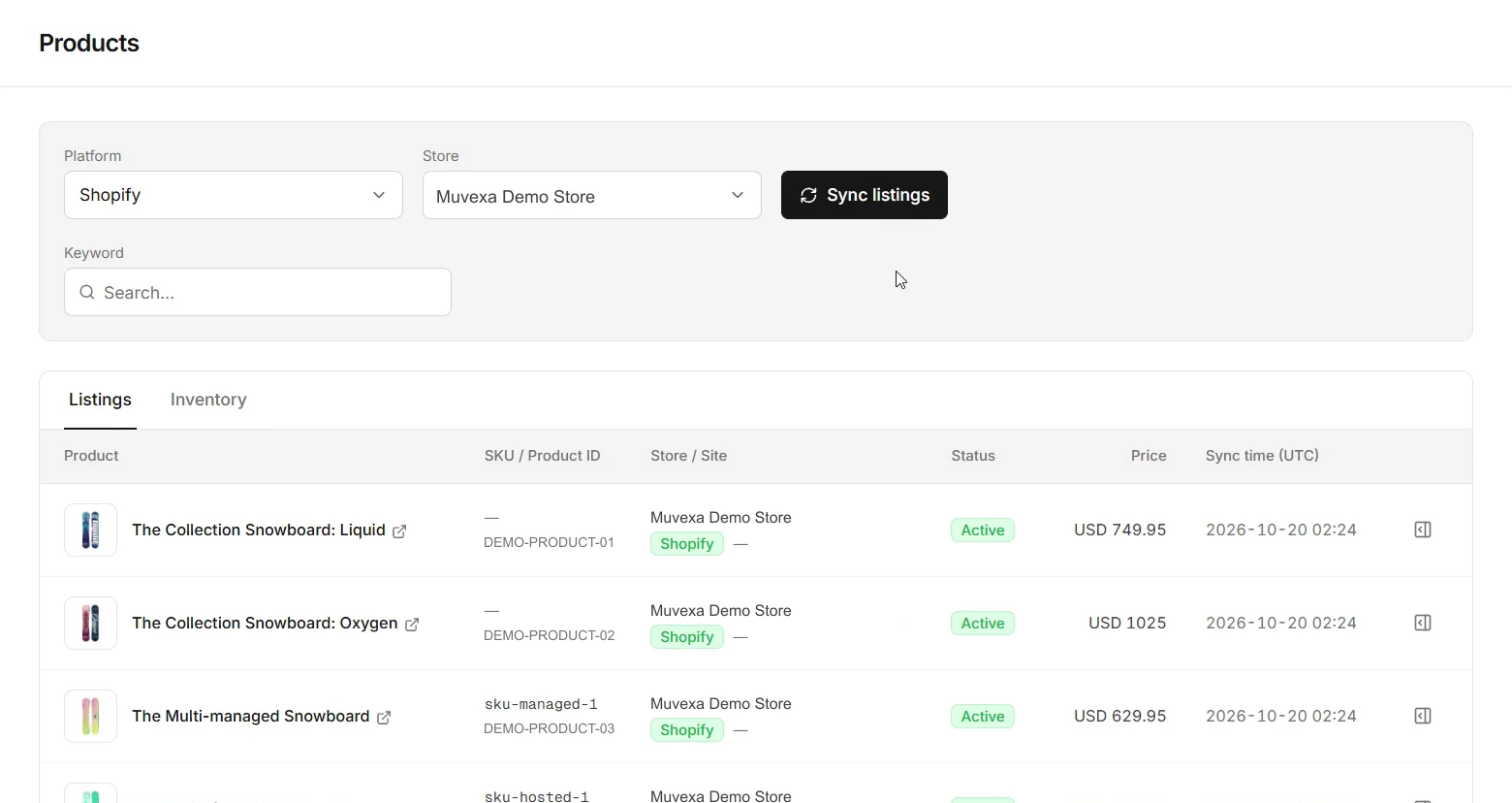
Shopify · Bring store orders into your workspace.
Amazon and Shopify are supported across all three synchronization capabilities.
Sales and traffic report analysisBring store orders into your workspace.
View capability and screenshotKeep store inventory in view.
View capability and screenshotBring your store listings together.
View capability and screenshotSee the orders synchronized from your Amazon and Shopify stores, with the platform and store context kept clear.
Open your workspaceSynchronize inventory data from the two supported platforms and review it in the ERP workspace.
Open your workspaceSynchronize existing listings from your stores. Bulk publishing is a separate capability planned for a later release.
Open your workspaceSales and traffic report analysis for Amazon sellers. Review your authorized store's sales, units ordered and product page views by date and product to understand performance changes and identify opportunities to improve listings and offers.
Review ordered product sales and units ordered to understand product sales performance over time.
Review page views and Buy Box percentage alongside sales to identify products that need closer attention to their listings or offers.
Analyze reports by day, week or month, with parent ASIN, child ASIN or SKU aggregation, to guide listing and merchandising decisions.
Bulk publishing for Amazon and Shopify is planned. The current ERP capabilities cover orders, inventory and listings synchronization.
Release timing and detailed scope will be announced when confirmed.
Connect the Amazon or Shopify store you want to manage.
Use the ERP synchronization capabilities for orders, inventory and listings.
Review synchronized data with its store and platform context.
Both ERP and API support Amazon and Shopify. Store authorization is required before use.
Use Muvexa's ready-made ERP features without building your own system.
Use your Muvexa API Key to request platform APIs through Muvexa and build your own ERP or tools.
Supported platforms and product scope.
Muvexa ERP is a workspace for cross-border sellers and operations teams. It currently supports order sync, inventory sync and listings sync for Amazon and Shopify.
Explore current sync capabilitiesInventory sync on this page means bringing store inventory into Muvexa for a consolidated view. It does not promise automatic cross-platform transfers, real-time two-way writeback or automatic replenishment.
Review inventory sync scopeNot yet. Bulk publishing for Amazon and Shopify is planned for the next stage. Current listings sync lets you review existing listings.
View existing listings capabilitiesCreate a Muvexa account and authorize your store before syncing and reviewing data. Available data depends on platform permissions and authorization status.
Get started with ERPReview sales, units ordered, page views and Buy Box percentage by date and product to understand product performance and changes in your business.
Sales and traffic report analysisStart with your Amazon or Shopify store.